
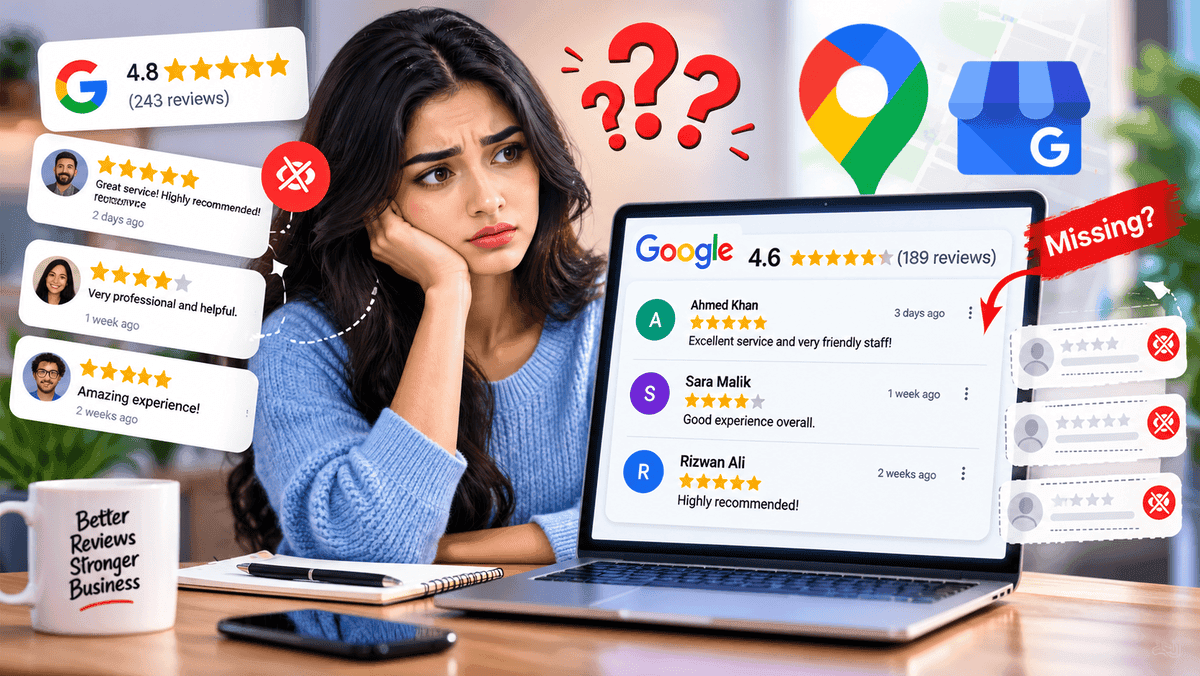
Google reviews disappearing from a profile almost always traces back to a short list of causes. A policy check may still be running. Google may have taken the review down for breaking its content rules. The reviewer may have deleted it. Or something changed on the profile itself, such as a merge or a reinstatement. Delays tend to sort themselves out within days, while removals for rule violations stay removed. Working out which of the three has happened (delayed, hidden or removed) decides what to do next. Eight causes follow, each with a fix, along with a symptom check, a recovery plan, a prevention list and answers to common questions.
Why Do Google Reviews Disappear? The Quick Answer
#ReasonMay it reappear?1Review is still under a policy checkMay appear after processing2Content policy violationNot restored by Google3Owner, staff or competitor review flagged as conflict of interestNot restored by Google4Reviewer's account was deleted or suspendedDepends5Profile merged, edited or reinstatedMay reappear after a merge6Profile category blocks reviewsDepends on the category7Customer deleted or edited the reviewOnly if the customer posts again8Temporary display glitchMay reappear
Temporary or Permanent: How to Tell the Difference
Some missing reviews are not gone at all. They are late. A review that never showed up in the first place, or a total that slipped right after a profile change, usually belongs in that group. A review that sat on the profile for weeks and then vanished is a different story, and removal becomes the likelier explanation.
Google's help page on missing or delayed reviews describes the process in plain terms. Each review gets screened against the platform's policies, and the screening can run for a few days. Reviews pulled for violations do not come back. Delay or removal: that one question points to the right fix.
Symptom Check: What the Missing Reviews Look Like
Take a salon owner who sees 112 reviews on Monday and 109 on Thursday. Three missing reviews could mean three separate things. The pattern matters more than the number.
What is seenA likely causeFirst stepA single recent review is missingPolicy check still running, or the customer changed itGive it a few days, then ask the customerCustomer says it posted, profile shows nothingA pending policy checkCheck again in a few daysReview count fell across many reviewsReviewer account changes, policy removals or a profile changeCheck profile status and contact supportReviews vanished after a merge or reinstatementMerge delay or reinstatement removalsAllow a few days, then contact supportAll reviews and ratings are switched offA category-based restrictionCheck the profile category
8 Reasons Google Reviews Disappear
1. The Review Is Still Under a Policy Check
A new review does not always go live at once. Google screens it first, and that screening can take a few days. In the meantime, the customer may be certain the review went through, while the profile shows nothing.
Fix: Patience. Editing the review or posting it again does not move it along.
2. A Content Policy Violation
Google's review rules rule out several things: links, phone numbers and other contact details, promotional copy, profanity, off-topic rants, and the same text posted over and over. Break one of them and the review can be taken down. Google says removed reviews of this kind are not reinstated.
Fix: Nothing for that particular review. The customer is free to write a new one that follows the rules and describes a real visit.
3. Conflict of Interest or Rating Manipulation
Owners, employees and direct competitors all have a stake in the outcome, so reviews from them fall under conflict of interest. Separately, bursts of reviews designed to push a rating up or down count as manipulation. Maps can remove content in either category.
Fix: Keep review requests aimed at genuine customers who can give honest feedback.
4. The Reviewer's Account Changed
Every review is tied to the account that wrote it. Close that account, or have Google suspend or terminate it, and its reviews may disappear along with it.
Fix: Nothing on the business side. New reviews arriving steadily soften the effect of any single loss.
5. The Profile Was Merged, Edited or Reinstated
After two listings merge, reviews from both can take a few days to show up across Search and Maps. Reinstatement brings its own wrinkle, since Google notes that some reviews can be removed once a profile returns.
Duplicate listings add confusion. Reviews may sit split across two profiles, so the first check is whether the right listing is on screen.
Fix: After a merge, wait a few days. After a reinstatement, contact Google Business Profile support and name the specific reviews that went missing.
6. Category-Based Restrictions
Google may switch off user-created content, reviews included, for certain profiles or business categories. One documented example: profiles whose main category is an educational institution for students aged 6 to 18 have reviews and ratings removed and disabled. Universities, day care centers and swim schools are the exceptions.
Fix: If the category is wrong for the business, change it in Google's category settings. If it is right, the restriction simply comes with it.
7. The Customer Deleted or Edited the Review
Reviewers control their own words. A deleted review leaves the profile for good. An edited one may change its rating, text or photos. Google also shows the date of the latest edit as the posting date, which is why an edited review can seem to slide down the list or drop out of view. Reason 4 involves a whole account, while this one involves a single review its author chose to change.
Fix: A business can neither delete nor restore someone else's review. If the deletion looks like a slip, a courteous note to the customer may bring a new review. Only the author can post it.
8. A Temporary Display Glitch
Owners now and then report counts that drop or jump in Google's Business Profile Community. Some of those cases fix themselves with no action at all.
Fix: Look again after a few days. If the count is still off, save dated screenshots and contact support.
How to Check Whether Reviews Are Actually Gone
Before anything else, confirm the loss is real.
- Open the profile in Google Maps, then in Search, and compare the review counts in both.
- Set the current count beside an older screenshot or record.
- Write down the name, date and star rating of every review that seems to be missing.
- Look at the profile status: active, verified, and free of any suspension notice.
How to Recover Google Reviews: Step-by-Step
Start small and work upward.
- Wait a few days. Policy checks and merges can each take that long.
- Verify profile status. Active, verified, not suspended.
- Check the category. A category that does not fit can trigger restrictions.
- Ask customers to retry if posting failed. Per Google's help page, updating the Google Maps app is a first thing to try.
- Contact Google Business Profile support. Supply the business name, how many reviews are missing, dates, reviewer names and screenshots, where available.
- Try the Help Community. Other owners often describe similar patterns there.
- Request a repost only for legitimate reviews. The new review should leave out links, contact details and promotional wording.
Evidence to Collect Before Contacting Support
A clear, organized report can help Google Business Profile support look into the issue more effectively. Useful pieces:
- The business name and a link to the profile
- The review count before and after the drop
- Dated screenshots of the profile and any visible reviews
- Reviewer names and posting dates for the missing reviews
- A note of any recent merge, category change or reinstatement
- Confirmation that the reviews came from real customers
After Contacting Support
Hold on to the case reference. Log the date of each reply. Skip duplicate requests about the same problem. If nothing gets resolved, the Help Community offers other owners' experience, though it has no power to restore reviews.
Can Deleted Google Reviews Be Restored?
That depends on why they went missing, and nothing is guaranteed.
CaseMay be restored?NotesDelayed by a policy checkMay appearShows up if it clears the checkDelayed after a profile mergeMay reappearAllow a few daysRemoved for a policy violationNoGoogle states these stay removedReviewer deleted it or lost the accountOnly if the reviewer posts againEntirely the reviewer's callRemoved in errorPossiblyRaise it with support, with evidenceCategory-based restrictionDependsFollows the profile category
Where the answer is no, time goes further on collecting fresh, compliant reviews than on repeated appeals.
How to Prevent Google Reviews From Disappearing
Prevention is mostly housekeeping: a tidy profile, sensible requests, decent records.
- Keep the profile verified and complete. A live, accurate listing sidesteps many status-related problems, and a guide to Google Business Profile optimization lays out what a complete profile includes.
- Request reviews naturally. Invite genuine customers to share honest feedback without incentives, pressure or selective requests for positive ratings.
- Make it easy. A direct review link drops customers straight into the form.
- Skip links and contact details. Neither belongs in a review, and either can get it removed.
- Keep records. Dated screenshots or exports of review counts, saved regularly, make any later support request clearer.
- Watch for profile changes. After an edit, merge or category change, a quick check is worth it.
Frequently Asked Questions
Why did all my Google reviews disappear overnight?
A pending policy check, policy removals, reviewer account changes, a merge or reinstatement, and category restrictions are the usual suspects. Before contacting support, document the drop with dated screenshots.
Why are my Google reviews not showing up?
Policy checks can hold a new review back for a few days, and a merge may add a few more. Google's help page also points out that customers who struggle to post can try updating the Google Maps app.
How long does it take for a Google review to appear?
Google says screening can run a few days. After a profile merge, reviews may take a few days to appear on Search and Maps.
Can Google remove real five-star reviews?
Yes, if the review breaks policy, since the star rating does not matter. A genuine review taken down by mistake can be raised with Google Business Profile support along with evidence, though recovery is not guaranteed.
Can Google be contacted to recover missing reviews?
Yes. Google Business Profile support and the Help Community both deal with these cases. A tidy record of dates, reviewer names and screenshots gives either one something concrete to work from.
Do Google reviews disappear when a business address changes?
Google's help page does not name an address change as a cause. The profile-related causes it lists are merges, reinstatements and category changes, so the profile status deserves a look after any edit.
Can a business owner remove a Google review?
Not directly. A review that appears to break policy can be flagged, and Google decides what happens next.
Final Thoughts
A missing review nearly always comes down to one of three things: a delay, a policy removal, or a change on the reviewer's or the profile's side. Identify which one, and the next step is clear. Waiting solves more cases than expected. A verified profile, honest review requests and a habit of saving records protect what has been built, and the steps above cover whatever still goes missing.
About the Author
Sarah JohnsonGrowth Specialist
Specializes in helping local businesses maximize online visibility and customer engagement.